
These screenshots use sample content in a preview version of Idle. Your app may look different. Select an image to see the full screen.
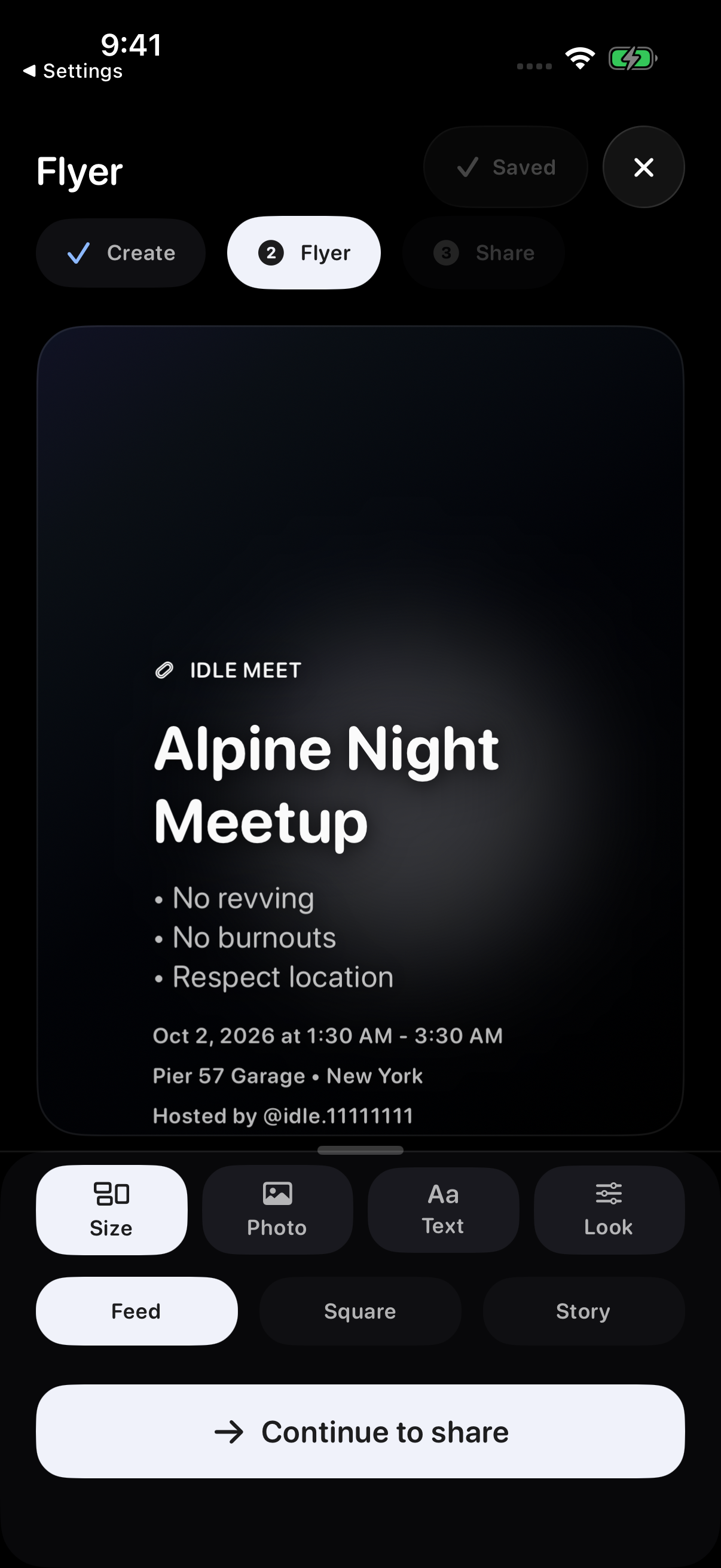
Choose a format and check the whole preview
Open the full Flyer Studio editor to change the design. While hosting, choose the Flyer stage. For a hosted meet, open Host Tools, choose the meet, then choose Open flyer tools. This opens Flyer Tools, with Size, Photo, Text and Look tabs. A flyer preview on its own is not the editing panel.
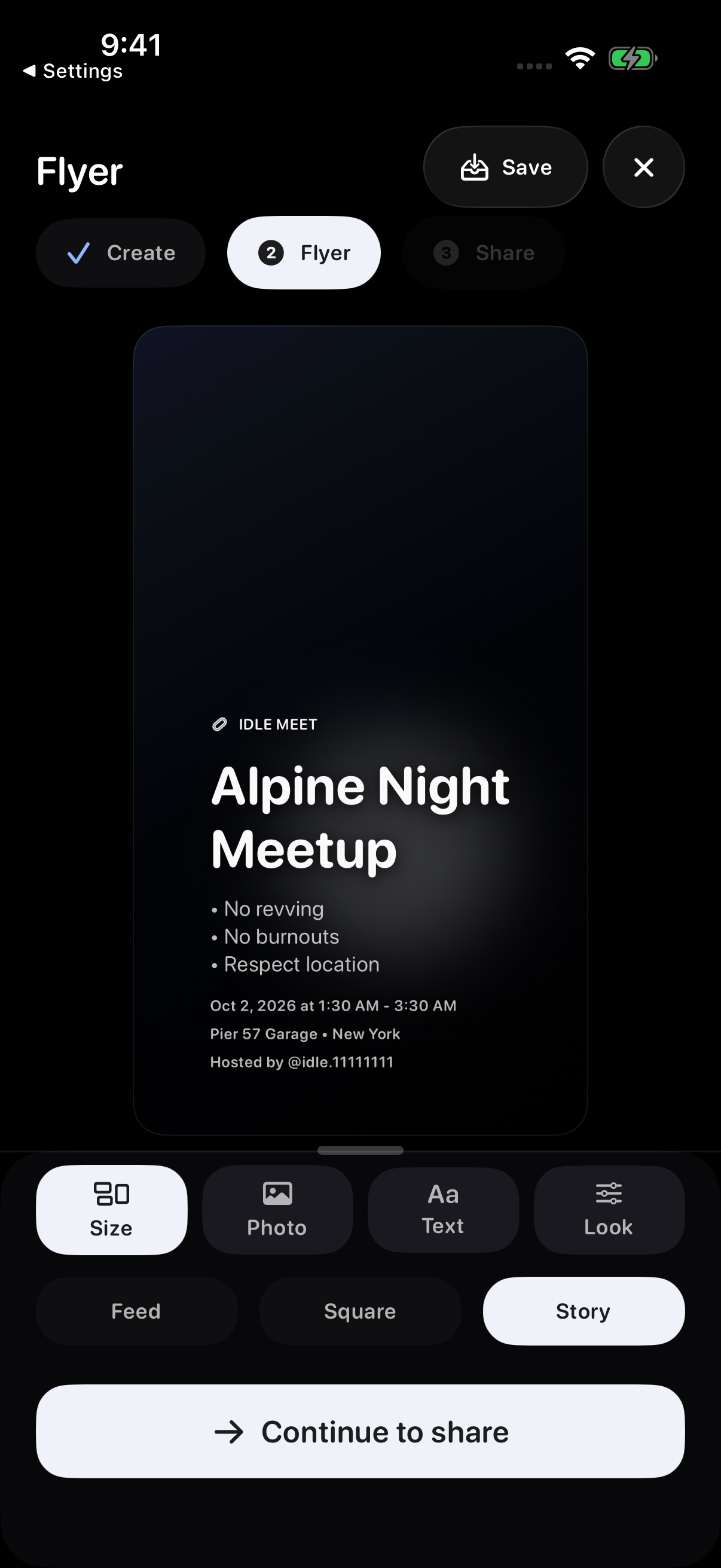
Choose Feed, Square, or Story. Review each format separately: its proportions change, so check the cover crop, title, rules, time, address, and host footer before saving or sharing.
If text is cut off, use the individual layer controls below to move or resize it before exporting. You can customize the composition rather than keep the initial layout.
Add a photo and logo
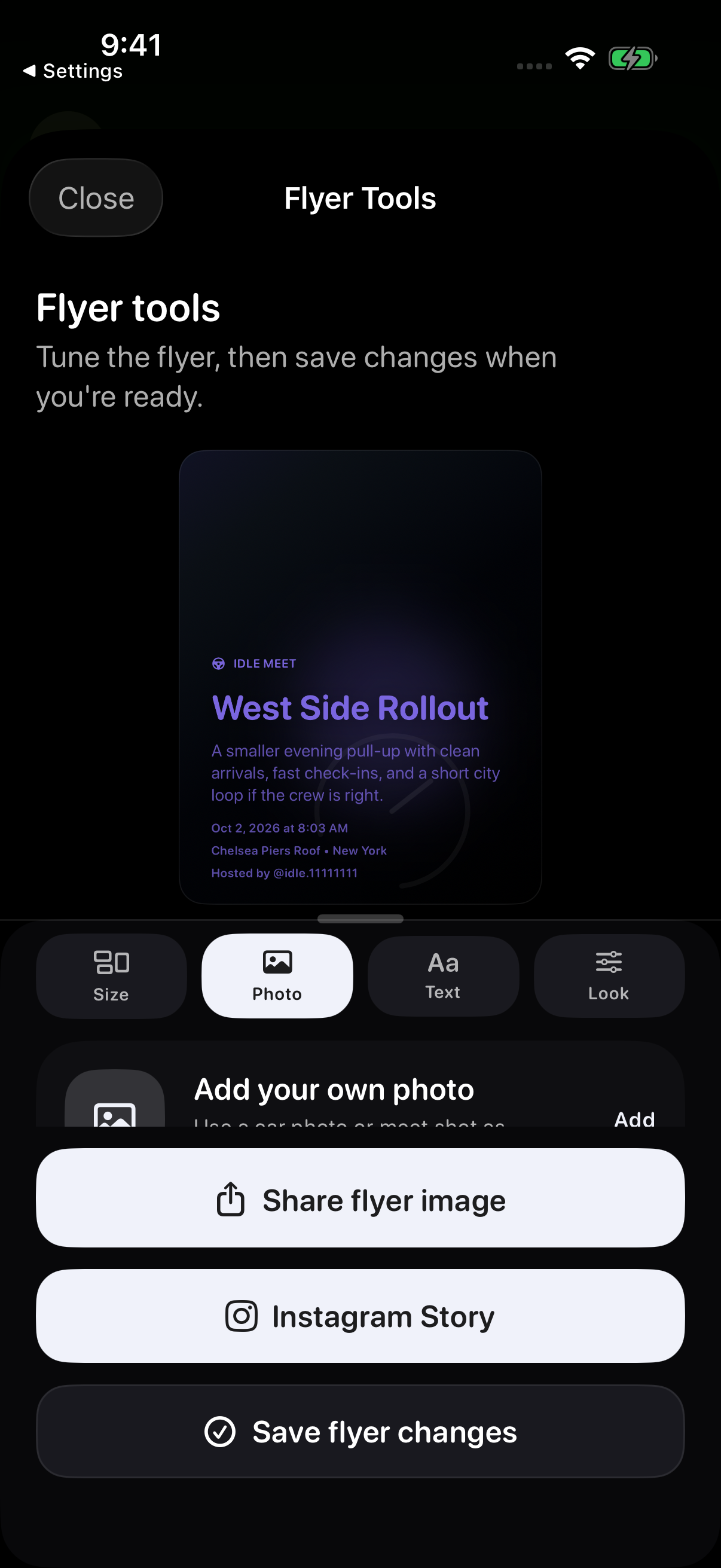
Open Photo and choose Add to use a car photo or meet shot as the background. Choose Change to replace it or Remove to go back to the default background. Adjust the photo crop for the format you plan to share.
In Photo, use the logo controls to choose Add and select a logo from Photos, Files or saved logos if available. Collapse the tools to see the flyer, then drag the logo into place and pinch to resize it. A transparent PNG works well for a logo.
Adjust the text
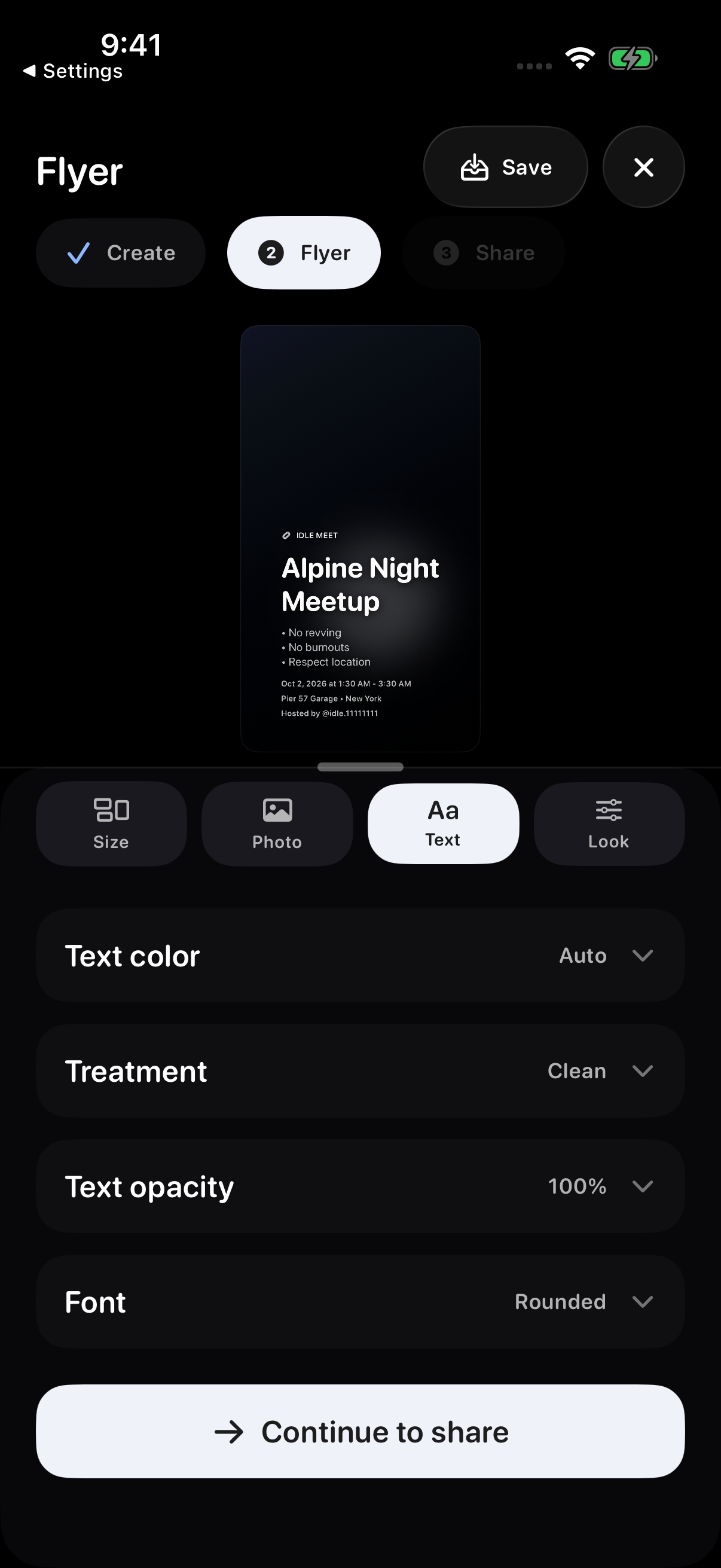
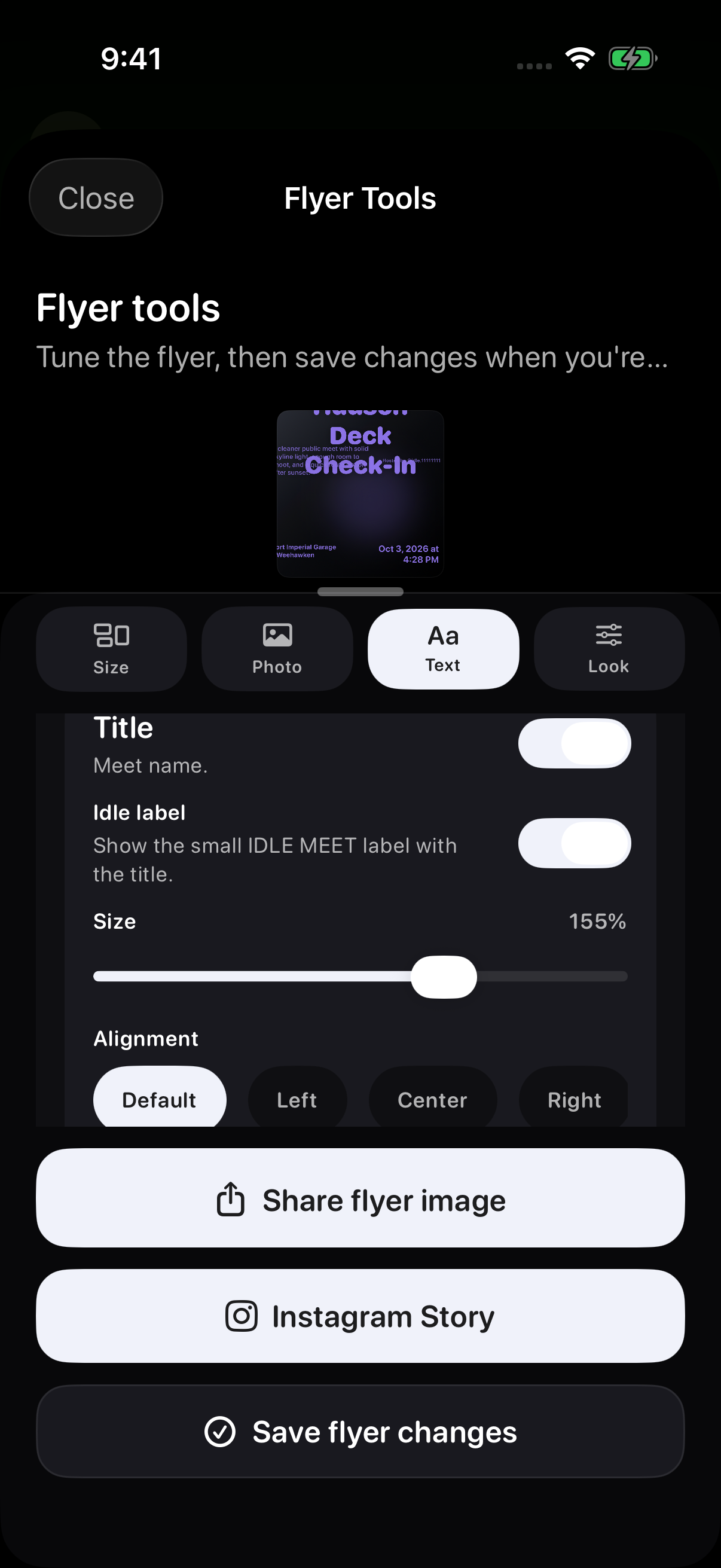
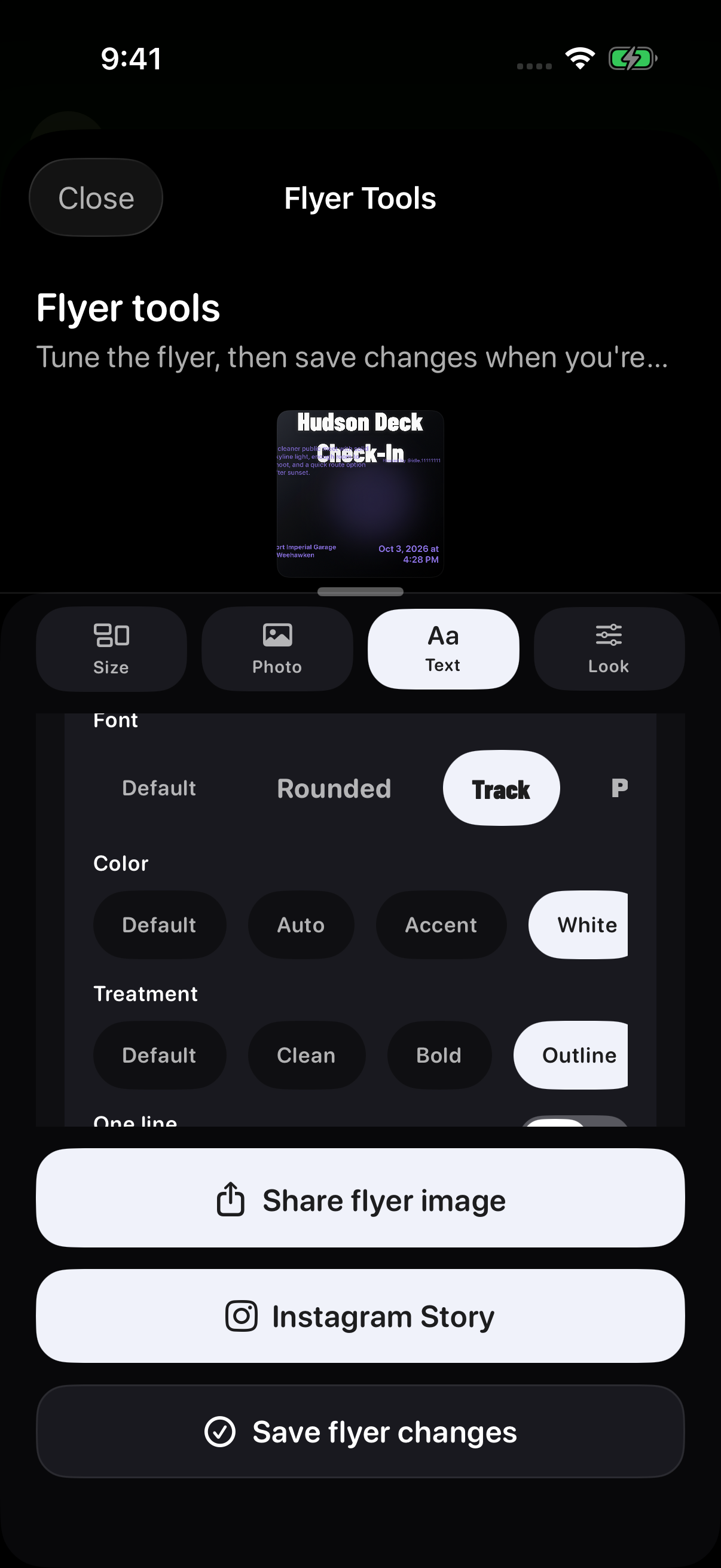
Open Text to review the available styling controls. This example shows Text color, Treatment, Text opacity, and Font.
Use Text to adjust the overall text style. Choose Layout → Layered when you want to work with individual text layers.
After each change, check readability against the background and review every format you plan to share.
Use the Layers controls in a Layered layout
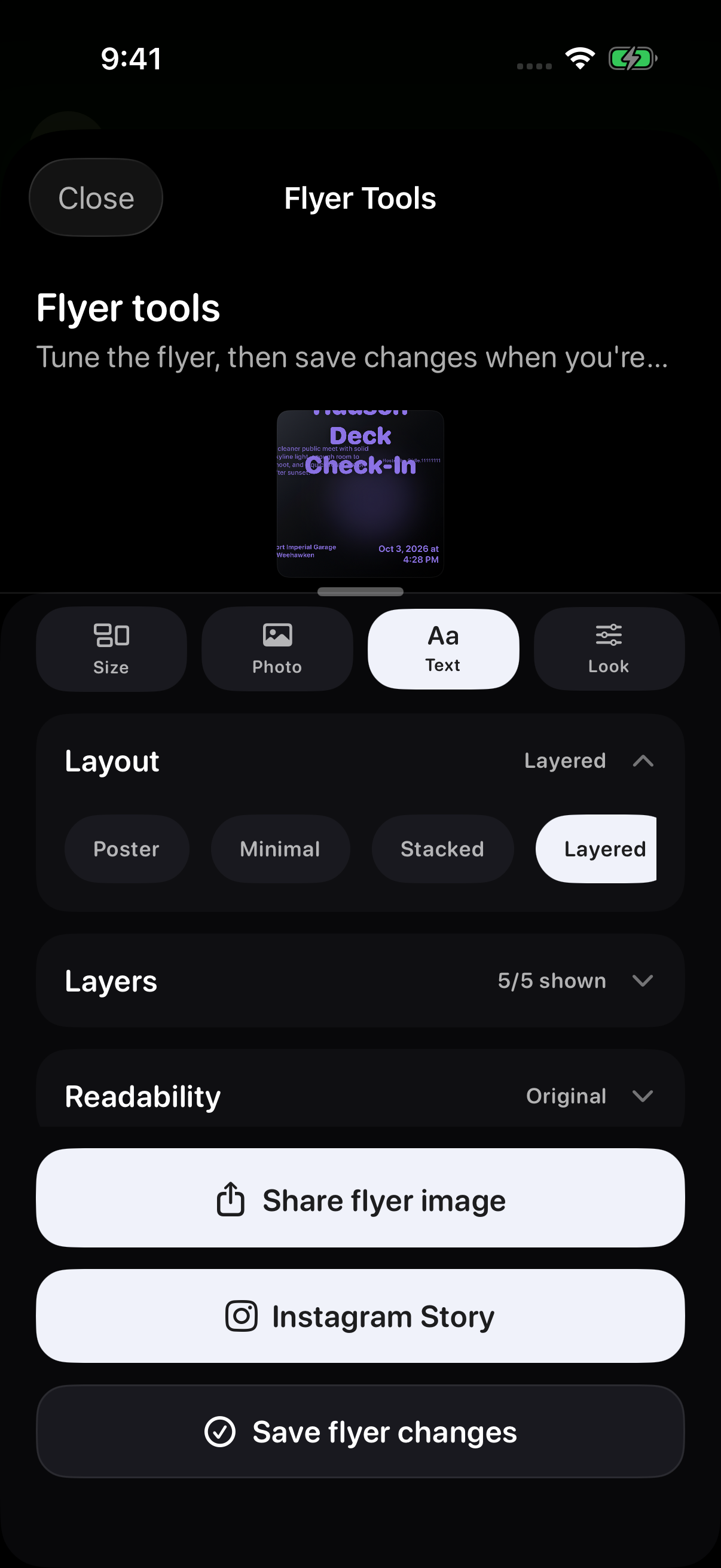
Open Text, expand the tools, then choose Layout → Layered → Layers. Choose the text layer you want to edit, such as Title or Description.
Check that the layer’s visibility switch is on if you want it to appear. Use the controls shown for that layer to adjust its size and appearance.
Choose Description to enter custom words in Flyer description, or Address to use Flyer address. Leave either field blank to use the meet’s existing description or location. The title, time and host text come from the meet details; update those details if the words need to change.
Fit text inside the flyer
In Text → Layout → Layered → Layers, choose the affected Title or Description layer. Drag its Size slider to make the text fit. Turn off One line if the text needs to wrap.
Collapse the flyer tools to see more of the preview, then drag the text itself to move it inside the flyer’s edges. Use the available font, colour and treatment controls to keep it readable.
Preview the format you plan to share, then use Share flyer image to export again and check the result.
Save changes to a hosted meet
In Host Tools, tap Save flyer changes when you want the hosted meet to use the edited flyer. That control is separate from Share flyer image and Instagram Story.
Check the image before sharing
Choose Share flyer image, then check the exported image before sharing it. Review the title, time, address and host text, as well as the photo crop.
If a detail is missing or cut off, return to Text → Layout → Layered → Layers. Turn on a hidden layer if you want it shown, or move and resize the text to fit. Preview and export again.
Prepare an Instagram Story
- Open flyer sharing and choose Instagram Story.
- If a Story preview appears, review it and choose Adjust Story crop if needed, then tap Open Instagram. A flyer already in Story format can open Instagram directly.
- Finish editing or posting inside Instagram.
Idle does not post for you
The handoff opens Instagram's Story composer. You decide whether to edit or post there. If Instagram cannot open, use the standard Share option instead.
Troubleshooting
- Text is cut offOpen Flyer Tools, then Text → Layout → Layered → Layers. Choose the affected layer, reduce its Size or allow wrapping, then drag the text into place in the preview and export again.
- A car is croppedOpen Photo and adjust the cover crop for the format you plan to share. Check the preview before exporting again.
- Shared flyer does not matchConfirm the format and preview before exporting. In Host Tools, save changes if the hosted meet should use the new version.
- Instagram does not openConfirm Instagram is installed and available, or use the standard Share option.
- Edits disappearedPreviewing and sharing do not save Host Tools edits. Use Save flyer changes.
Contact support
If saving or exporting fails, email support@idlemeets.com with the meet title, selected format, what action failed and any error shown.