
These screenshots use sample content in a preview version of Idle. Your app may look different. Select an image to see the full screen.
Save a setup you want to reuse
- Prepare the meet details and flyer.
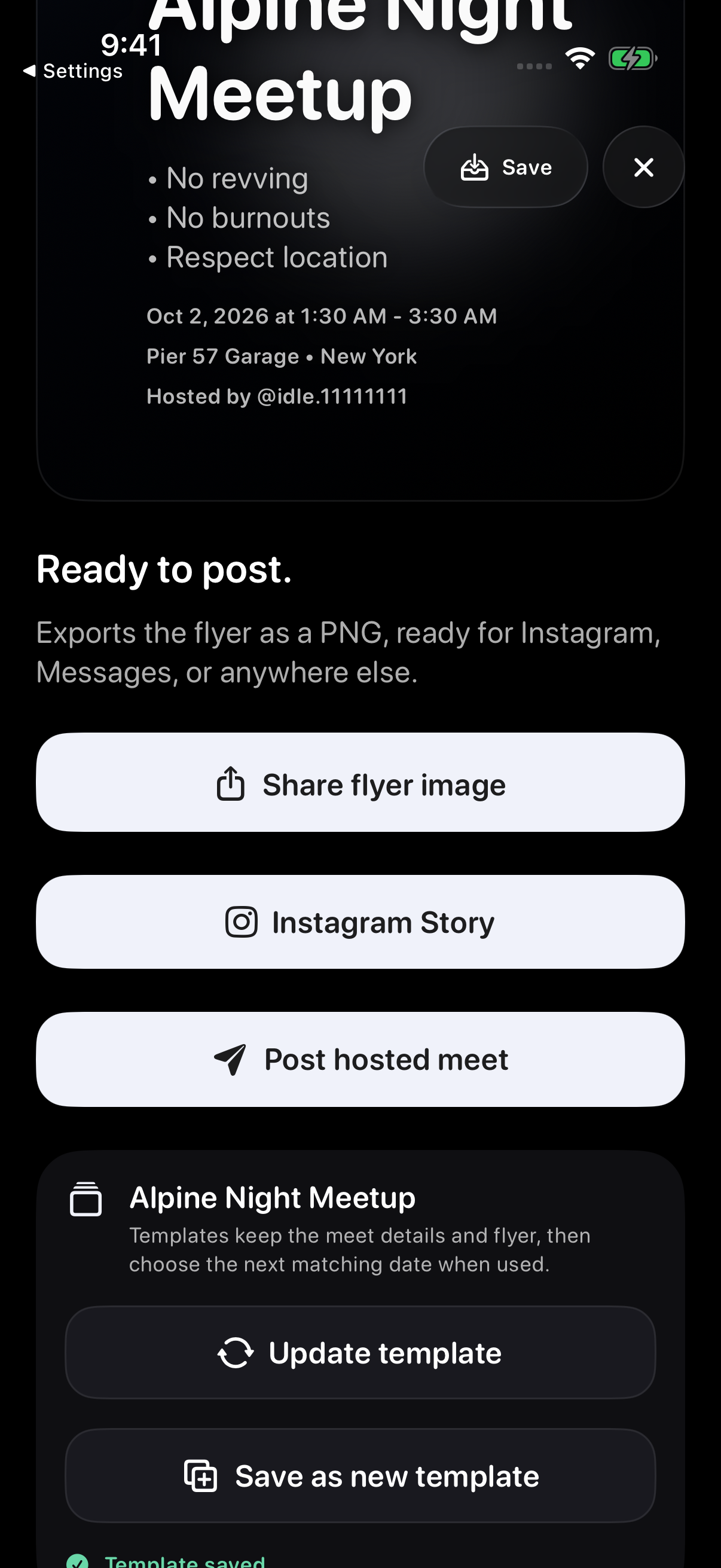
- Continue to the Share stage and choose Save as template. Host Tools also has a Save template entry for a hosted setup.
- Give the template a clear name and confirm the save.
After saving a template, the Share stage shows its name, Update template and Save as new template. Saving a template does not publish a meet.
Find your saved template
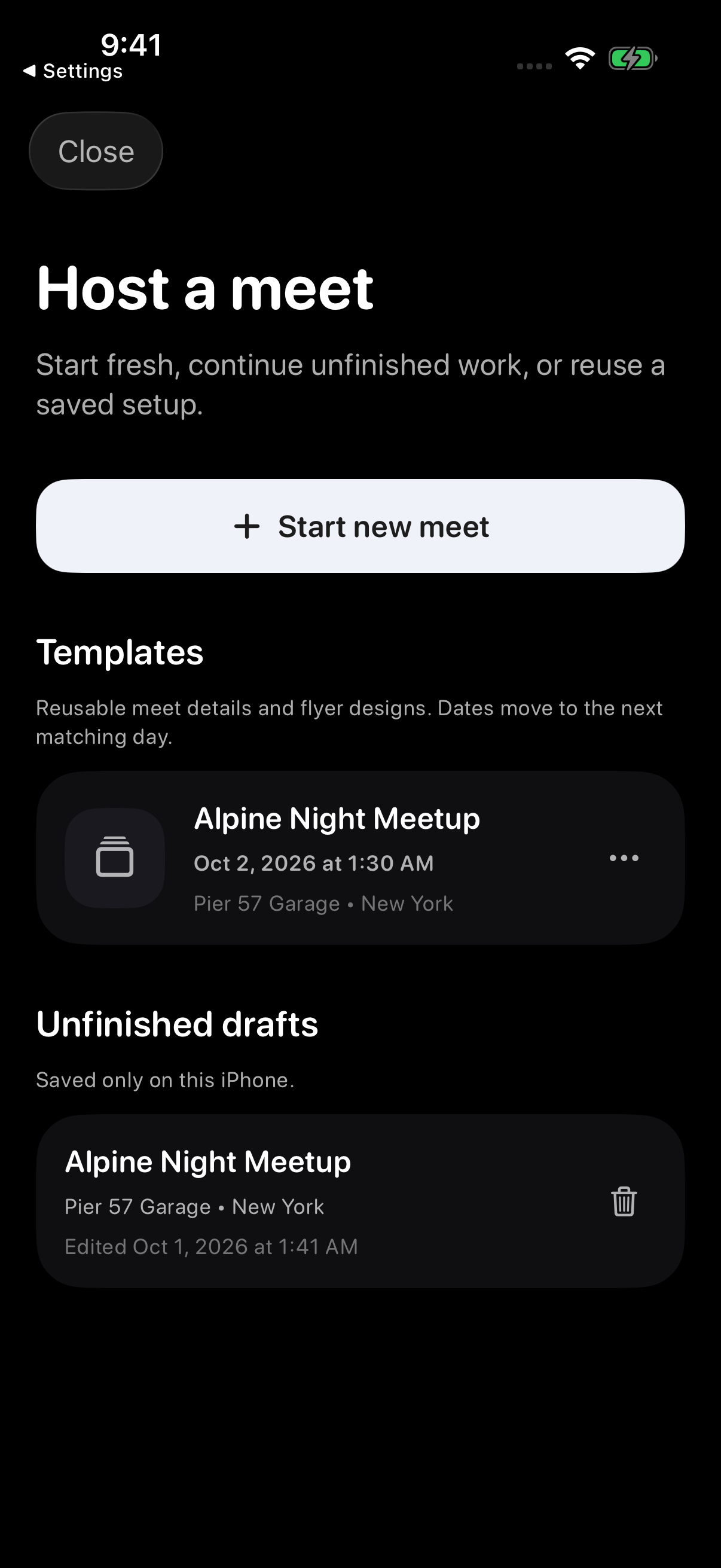
Open Host. Saved setups appear under Templates, separately from Unfinished drafts.
Choose a template to start another meet from that setup. Templates created during a test drive stay on that iPhone. For templates saved to an account, check that you are using the same Idle account.
Review everything before publishing
- Select the template you want to use.
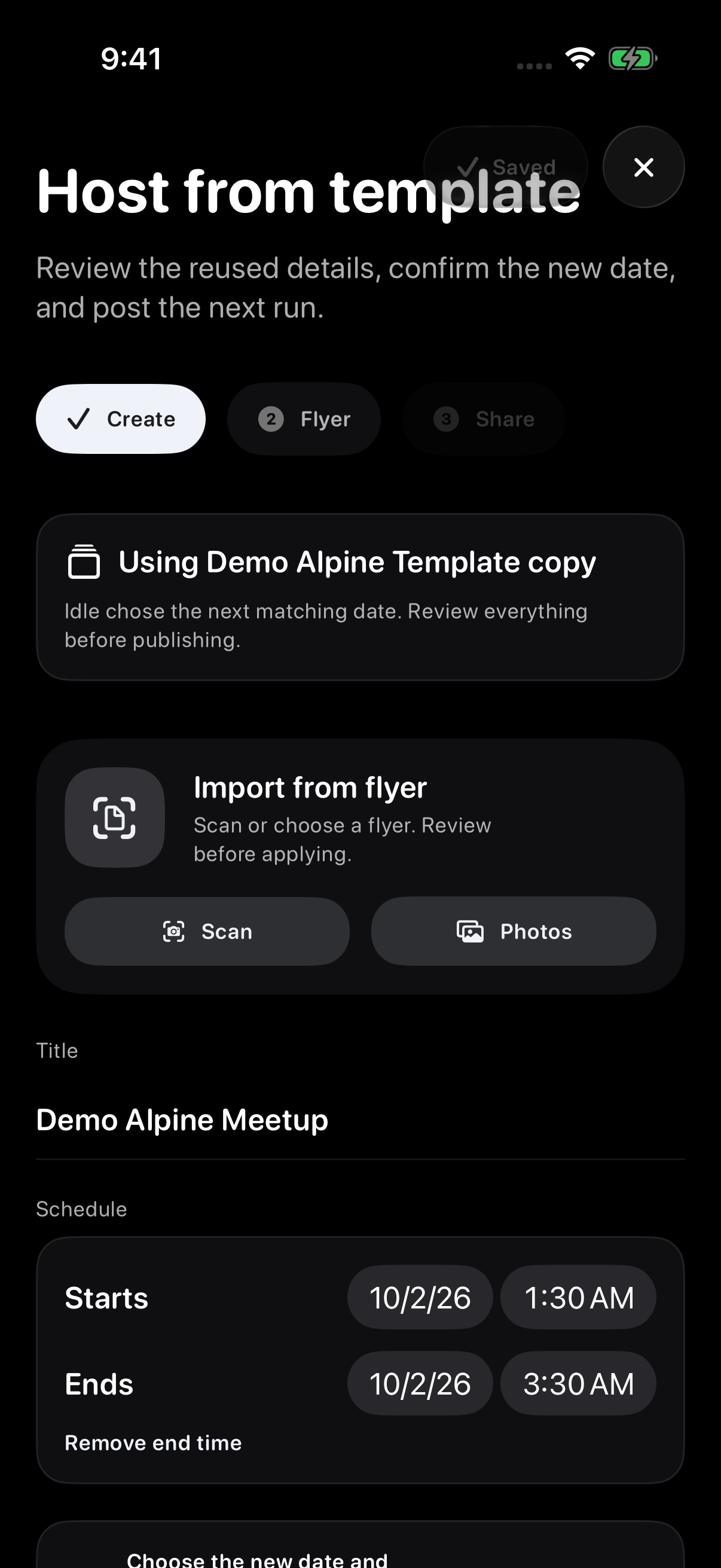
- Review the suggested date and local time, including any optional end time.
- Check the title, location, visibility, flyer, parking plan, ride-out plan, and other reused details.
- Continue through Flyer to Share, then tap Post hosted meet when the new meet is ready.
The template name identifies the saved setup. The meet title is what attendees see; change it when your next meet needs a different name. Always check the start and end dates before publishing.
Manage saved templates
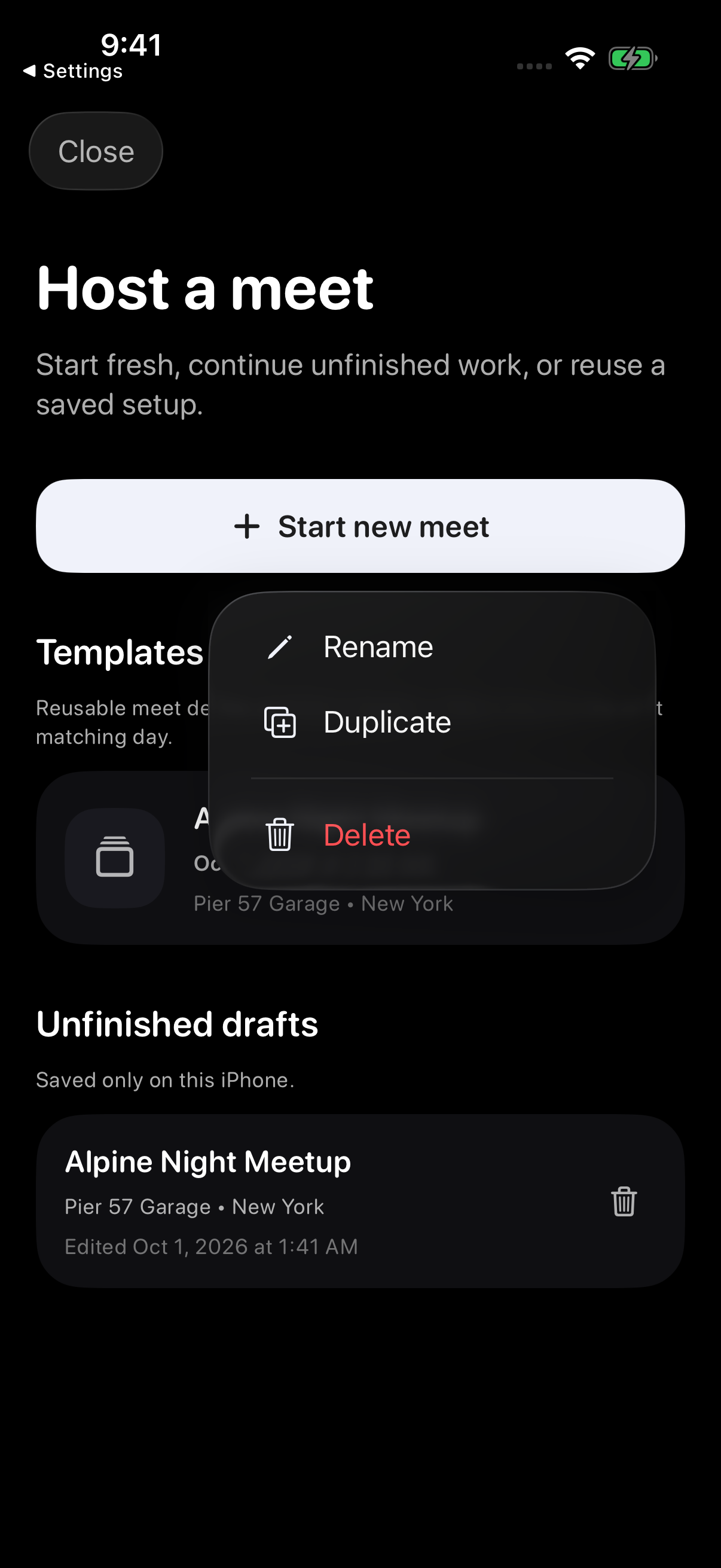
Open the template’s More actions menu for Rename, Duplicate, or Delete. Duplicate makes a separate copy. Confirm the template name when saving or renaming it.
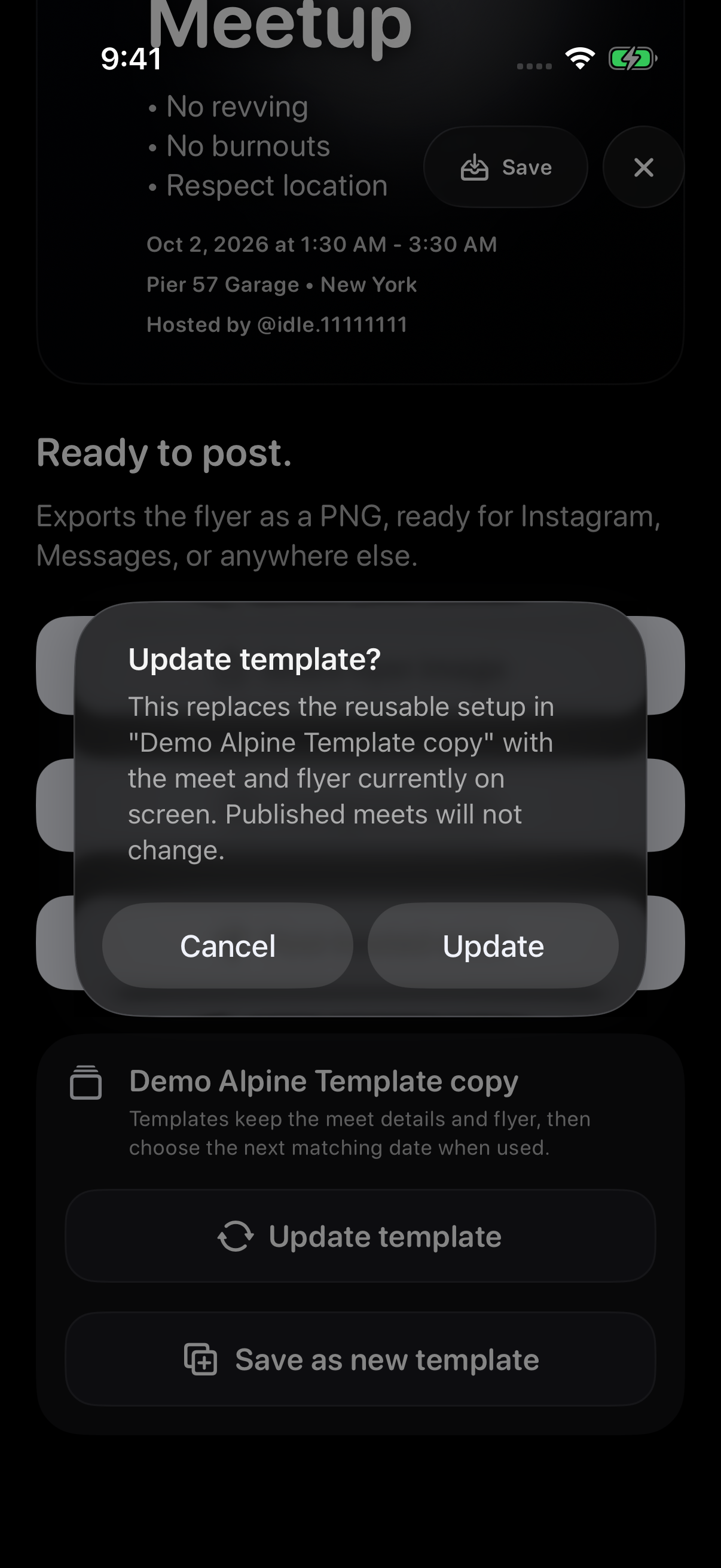
Use Update template in a setup linked to an existing template when you want to revise that saved setup, or Save as new template to keep a separate one.
Templates are not recurring meets
A template is a reusable starting point. It does not publish on a schedule, copy attendance, or create a live meet until you review the setup and publish it.
Save changes to a template
Open the template you want to change and edit the meet details. Continue through Flyer → Continue to share, then choose Update template to save those details for future use.
Check the template name in the confirmation before choosing Update. Choose Cancel if it is not the setup you intended to replace.
Troubleshooting
- Template is missingFor an account template, sign into the account that saved it. A template saved during a test drive stays on the iPhone where it was created.
- A group option changedGroup access is checked again when you reuse a template. Choose an eligible group or another visibility option.
- Date or time looks wrongReview the suggested future date and local time before publishing.
- Template will not loadTry again, or start a blank meet. A template problem should not stop you from hosting.
Contact support
Email support@idlemeets.com with the template name, what you tapped, and the exact message shown.