
Core Idle stays free.
You do not need Idle Plus or Idle Pro to use the main parts of Idle.
- Browse meets
- Host meets
- Join groups
- Message eligible connections
- Use profiles and garages
- Use safety tools
- Receive available notifications
- Access your account
Choose the cosmetic level that fits you.
Both memberships are optional. They change profile style, not core access. Idle's purchase screen shows the current price for your App Store region before confirmation.

Idle Plus
See price in Idle
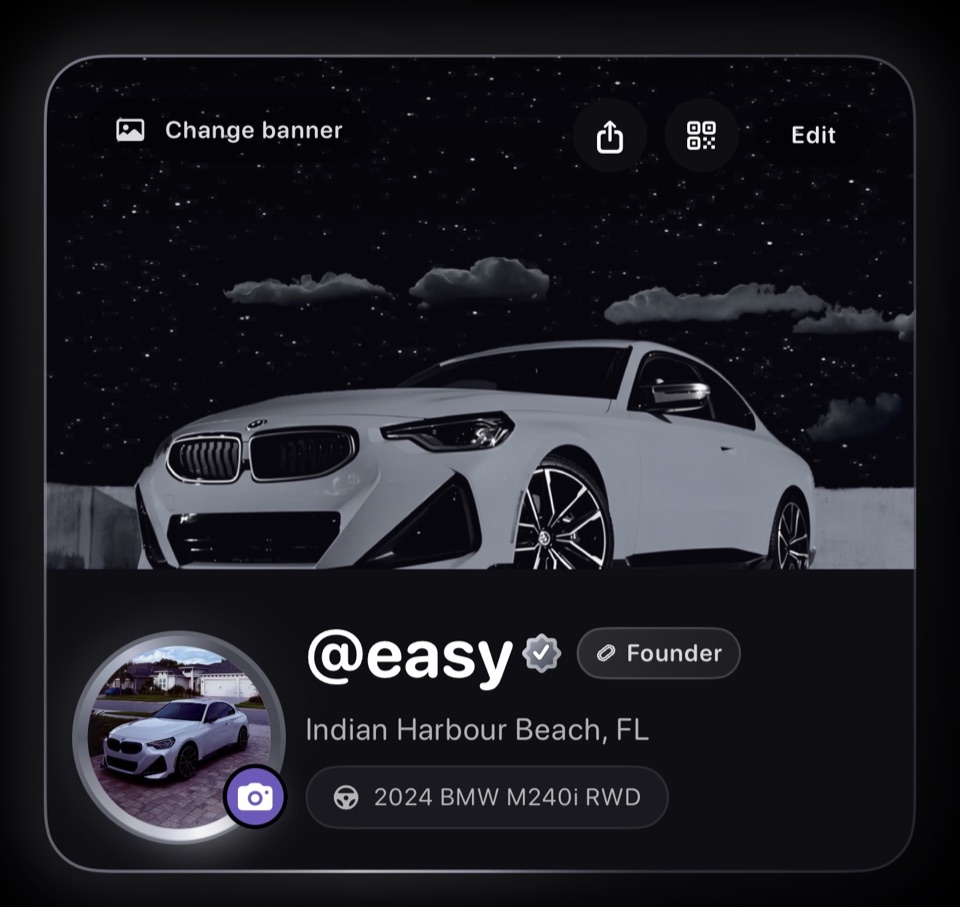
Support Idle and add static profile cosmetics.
- Purple subscription badge
- Static profile photo ring
- Static profile card decor
- Ring and decor color choices

Idle Pro
See price in Idle
Includes Idle Plus and adds more expressive profile identity.
- Everything in Idle Plus
- Black subscription badge
- Animated profile photo ring
- Animated profile card decor
These screenshots use sample content in a preview version of Idle. Your app may look different. Select an image to see the full screen.
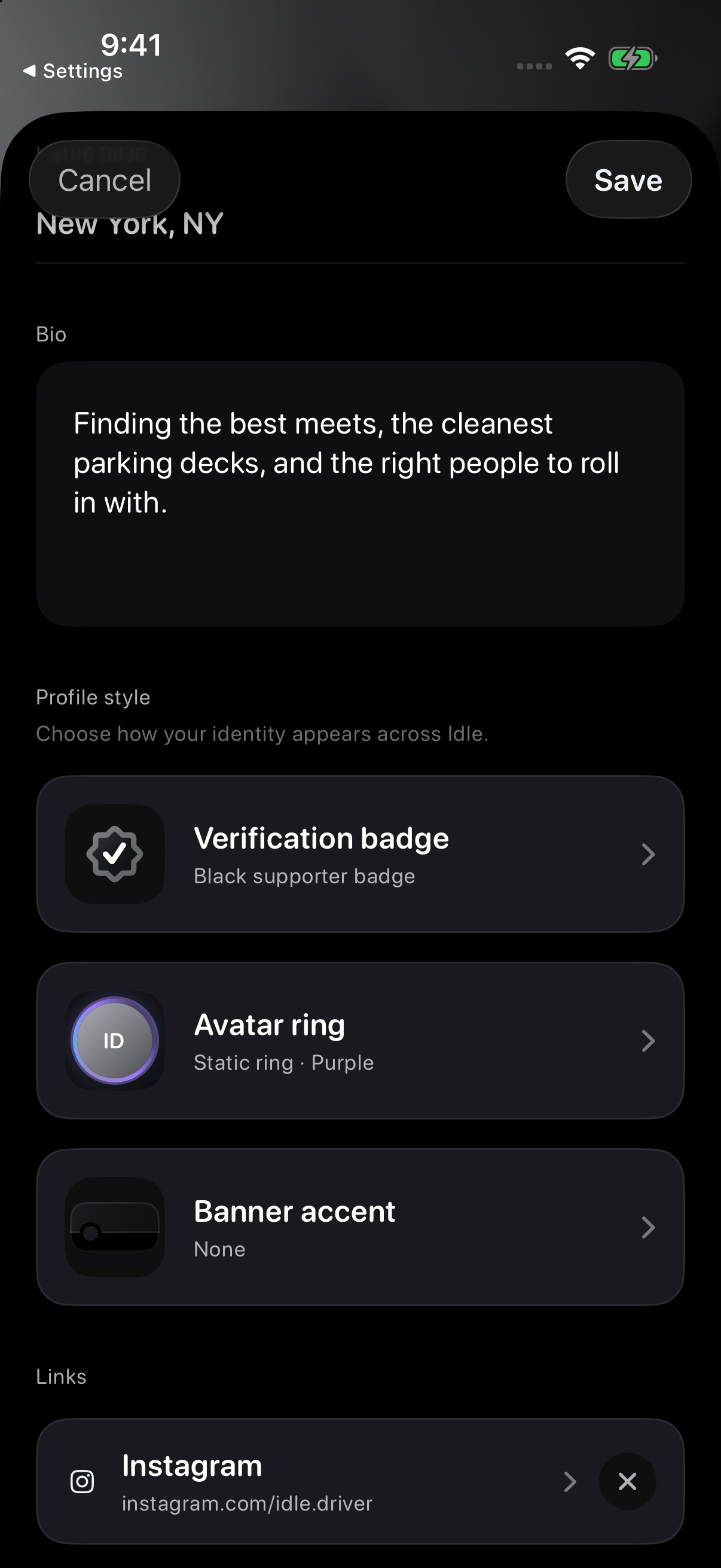
Find your profile style settings
Open Profile → Edit → Profile style to find Verification badge, Avatar ring and Banner accent. Available options depend on your account and membership.
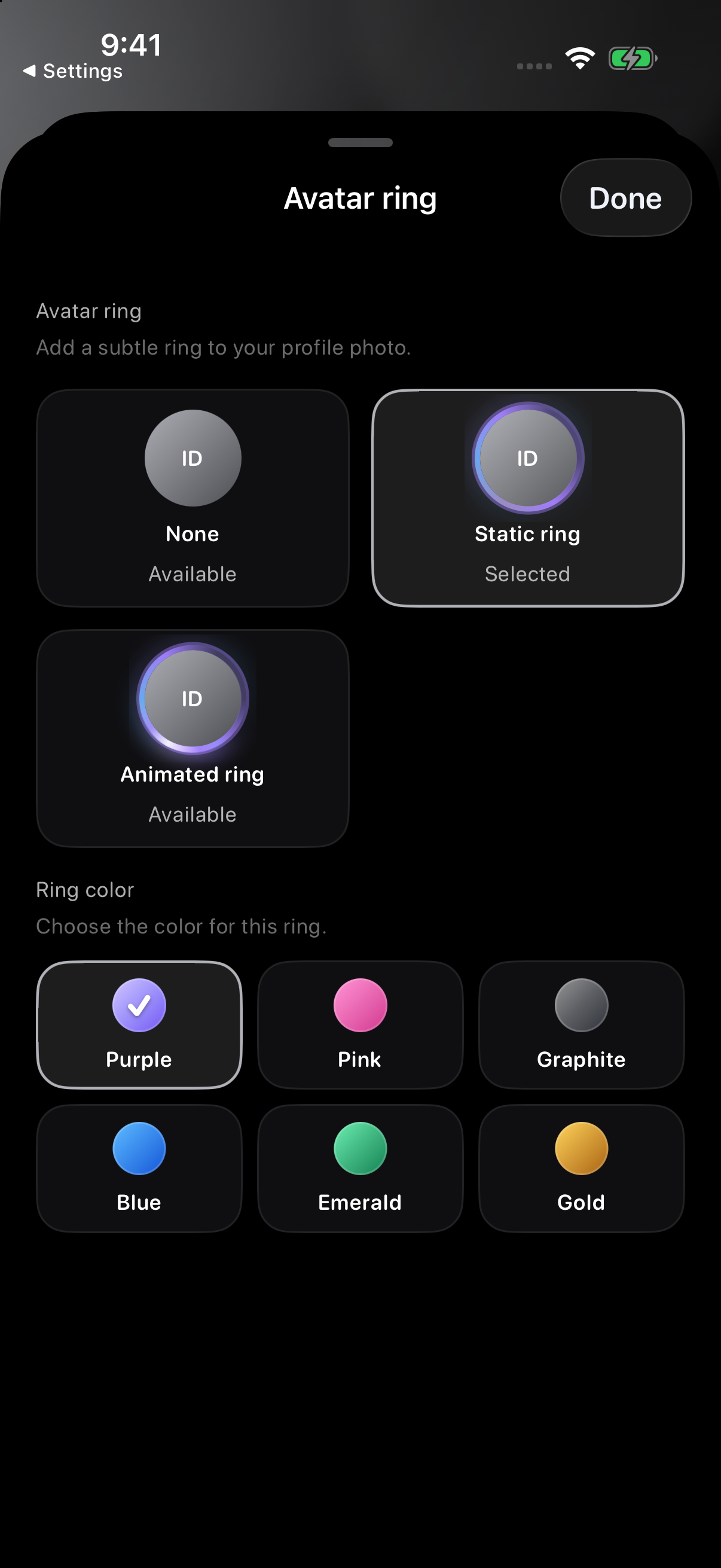
Choose an avatar ring
Open Avatar ring, then choose a ring style and colour. Choose None if you do not want a ring.
Available styles depend on your membership. After choosing a ring, tap Done, then tap Save on Edit profile.
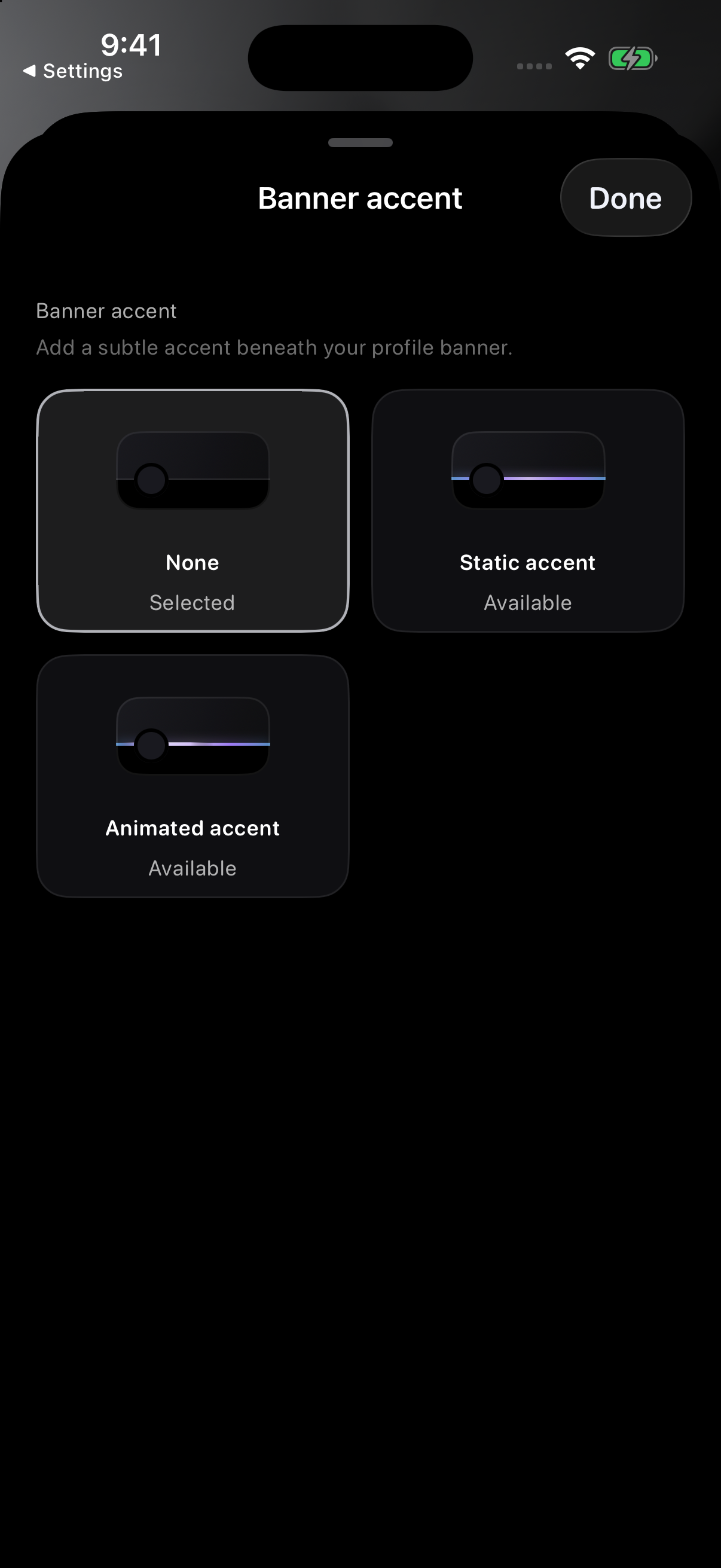
Choose a banner accent
Open Banner accent to choose None, Static accent or Animated accent.
After choosing a banner accent, tap Done, then tap Save on Edit profile. Supporter colours and cosmetic styling stay separate from Staff and Business or Host meanings. Silver is only for official Idle Staff accounts. See What profile badges mean.
What membership does not mean
A membership does not verify driving behavior, meet safety, hosting quality, or off-app identity.
A membership does not make a profile official Idle Staff, a verified business, or a verified host.
A membership does not prioritize a profile in discovery, support, reporting, moderation, or meet hosting.
Troubleshooting
Tap a locked style option to review the membership it needs. If you already purchased that membership, use Restore Purchases in the offer screen. After choosing an available style, tap Done and Save on Edit profile. If it still does not update, check the message on screen and reopen your profile.
Billing help
Subscription billing is managed by Apple through your App Store account. Use your iPhone subscription settings to cancel or change plans.
Need help?
Email support@idlemeets.com with your Idle handle, the issue you are seeing, your device, and a screenshot if it helps. Do not send passwords or payment details. Include only the account information needed to explain the issue.