
These screenshots use sample content in a preview version of Idle. Your app may look different. Select an image to see the full screen.
Choose a subscription badge colour
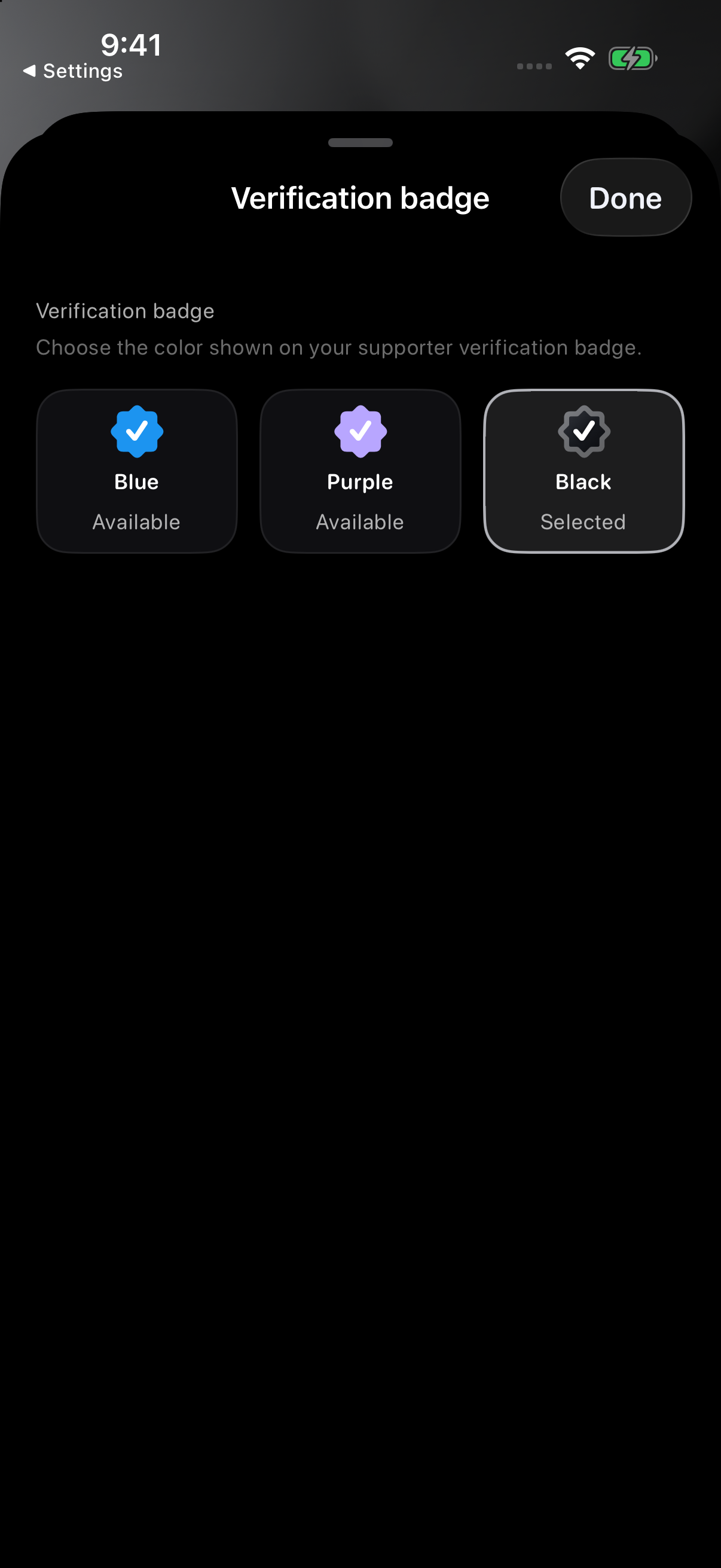
In Profile → Edit → Profile style, Verification badge opens the badge colour chooser. Idle Plus or Pro can unlock subscription colours; available options depend on your membership and any designation assigned by Idle.
The colour chooser offers Blue, Purple and Black. A colour changes the badge’s appearance; it does not make someone Idle Staff or confirm their identity.
Tap Done to leave the colour chooser, then tap Save on Edit profile to apply your change. Use the descriptions below to understand badge types; do not rely on colour alone.
Designations assigned by Idle
Verified
Idle can assign a Verified designation to a profile. Blue, purple and black can also be subscription badge colours, so colour alone does not show whether an account has been verified by Idle.

Silver Staff
This account is an official Idle Staff account. Silver is only for Idle Staff.

Business or Host
This is Idle's Business or Host designation. Its default check is gold; a subscription colour can change its appearance without changing the designation.

Subscription badges
Idle Plus and Pro badges show a paid membership. They are separate from identity, staff and business checks.
Idle Plus
This account is showing an Idle Plus subscription badge.

Idle Pro
This account is showing an Idle Pro subscription badge.

Profile badges
Founder
A profile with Idle's Founder badge.
Kickstarter
An Idle promoter who helped support and grow the community early.
Sponsored
A sponsored profile, business, host, or partner recognized by Idle.
No badge
None
This profile does not currently have a public badge or verified check.

What to expect
- Different meaningsCheck the badge description to see whether it represents a subscription, community recognition or verification.
- Silver is staff-onlySilver Staff is reserved for official Idle Staff accounts and is not a membership color.
- Subscription badges are separateIdle Plus and Idle Pro badges show a subscription. They do not verify identity or replace Staff or Business or Host checks.
- Not every profile has oneMany normal Idle profiles do not have a badge or verified check.
- Use normal judgmentA badge is not a guarantee of meet safety, driving behavior, or off-app identity.
If a badge looks wrong
Email support@idlemeets.com with the profile handle, what looks wrong, and a screenshot if it helps. Include only the information needed to explain the badge issue. Never send passwords or payment details.