
These screenshots use sample content in a preview version of Idle. Your app may look different. Select an image to see the full screen.
Start with a parking image
- Create a meet or open a draft in the Host flow.
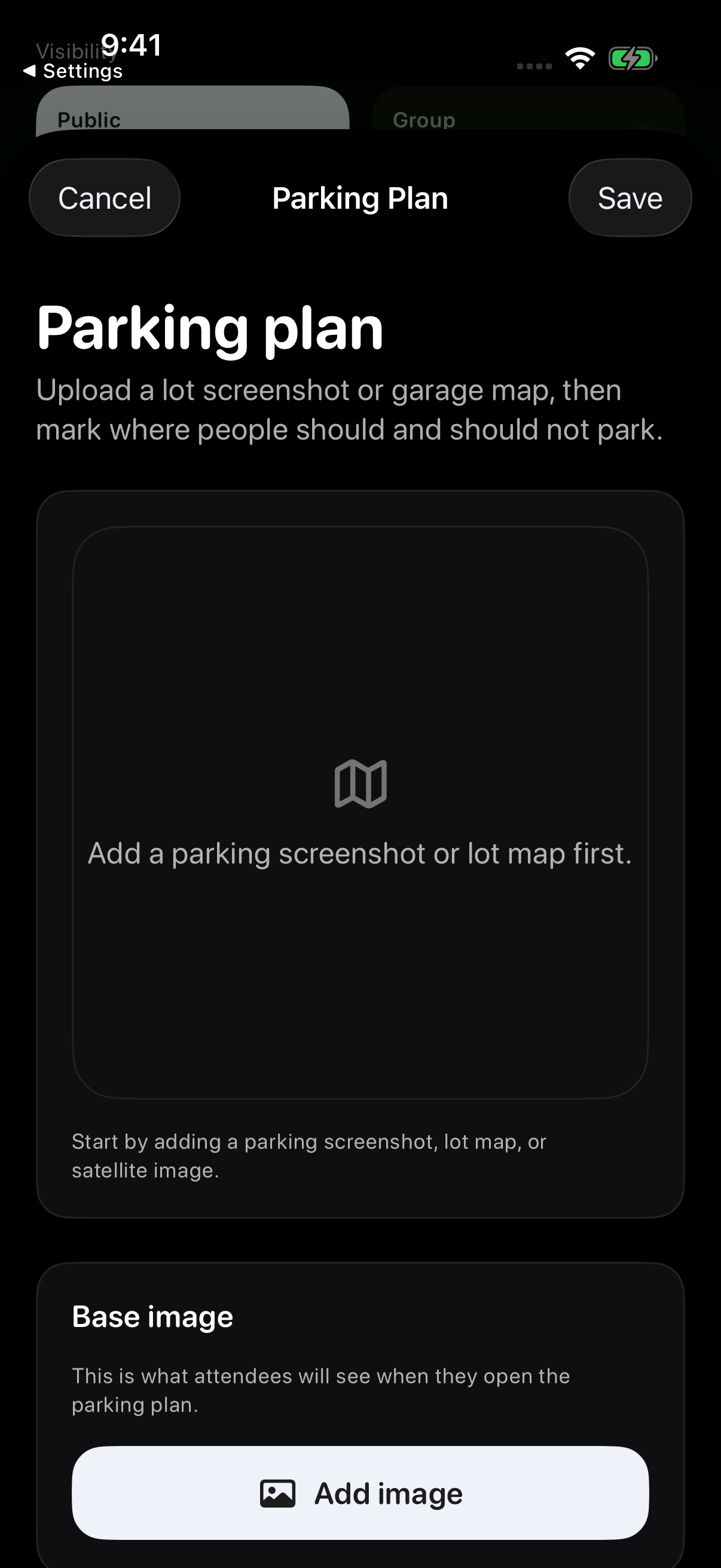
- Choose Add parking plan to open the Parking Plan editor.
- Use Add image in the Base image section to start with a lot screenshot or garage map.
After choosing a clear image, use Zone tools to add Entry, Exit, Park here, Host spot, Do not park here, Overflow or Reserved areas. Tap a zone to select it, drag inside it to move it, and drag a corner to resize it. Use Label and Size for the selected zone, add a Host note, then tap Save.
If you are creating a new meet, finish the Host flow and tap Post hosted meet to publish the plan with it.
Check the plan before you arrive
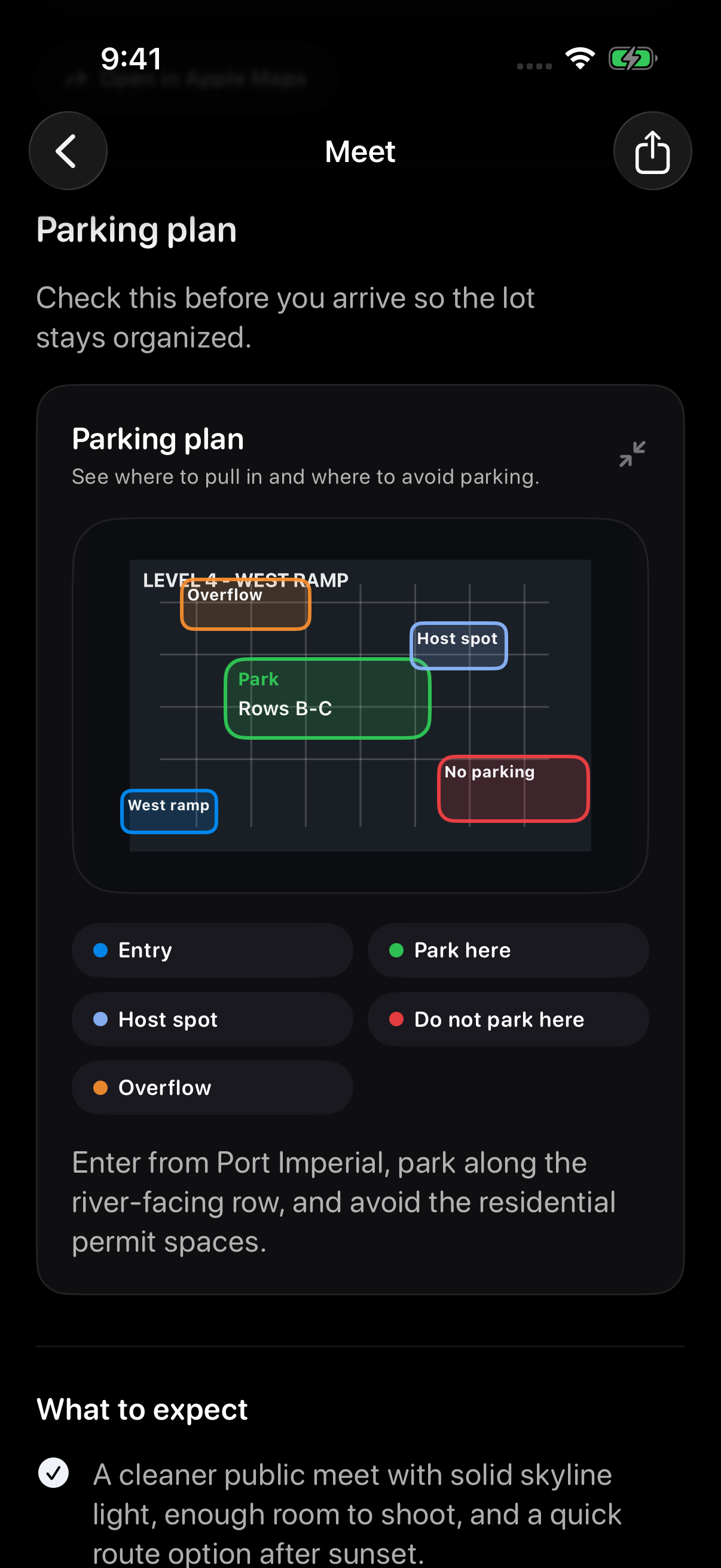
If the host added a parking plan, review it from the meet detail page. Read the marked areas, legend, and arrival note together.
Follow venue rules, posted signs and the host’s current guidance. The pictured plan is an example, so do not use it as directions for a real venue.
For hosts
Review the meet detail page so the parking guidance is clear to attendees. For an existing meet, open Host Tools, choose the meet under Upcoming, tap Open tools, then Parking plan. Adjust the image, zones or Host note and tap Save. Check for any error shown, then reopen the meet to review the saved plan.
Open the plan and read its legend
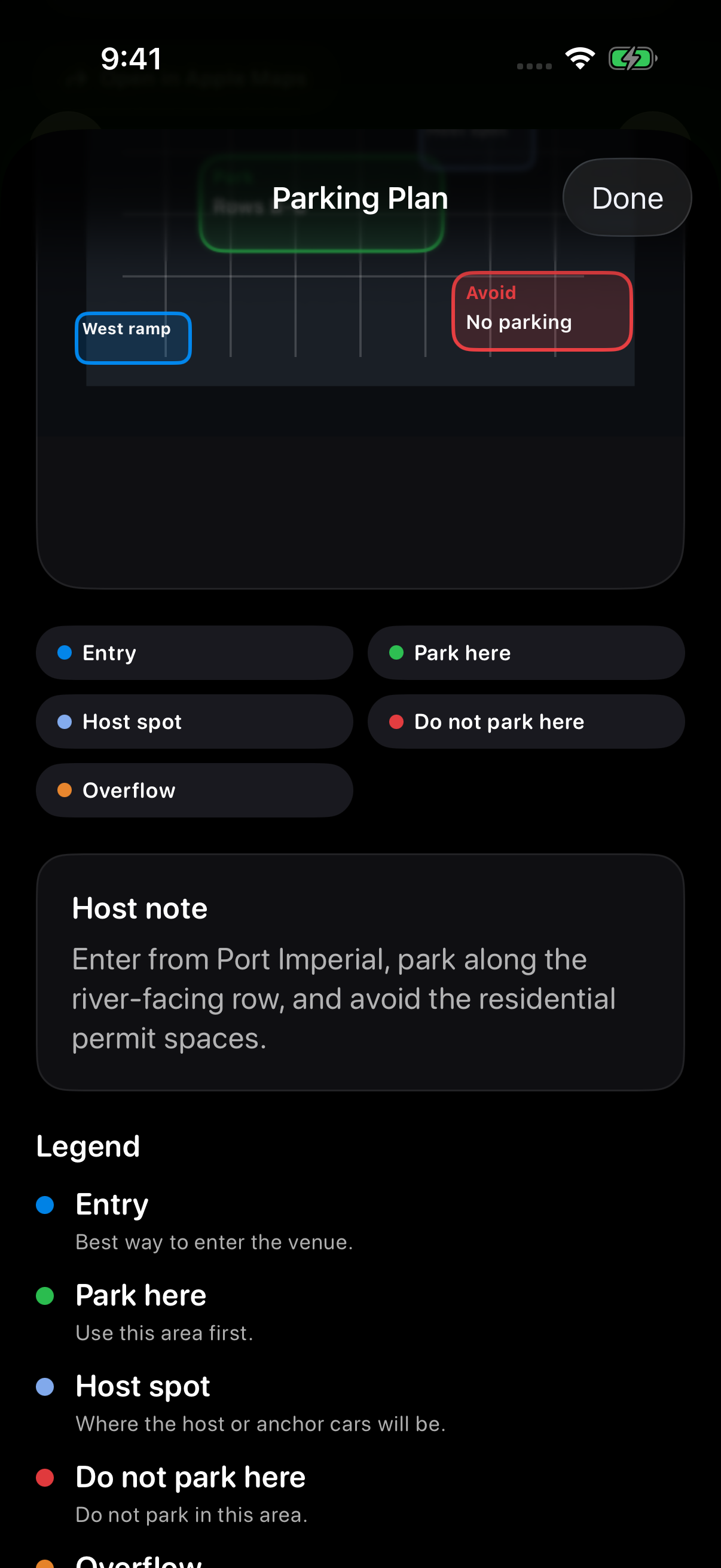
Tap the existing Parking plan on the meet page to open Parking Plan full screen. Scroll to read the legend and Host note, then use Done to return.
Match the colours in the plan to its legend: Entry, Park here, Host spot, Do not park here and Overflow. Read the Host note for arrival instructions. Follow the plan for the meet you are attending.
Troubleshooting
- Plan missingThe host may not have added parking guidance yet.
- Image unclearAsk the host for clarification or email support with the meet title.
- Changes will not saveReopen Host Tools, check your connection, and try saving again.
Contact support
Email support@idlemeets.com with the meet title, what parking detail is missing, and a screenshot if possible.