
These screenshots use sample content in a preview version of Idle. Your app may look different. Select an image to see the full screen.
Add the next stop
- Create a meet or open a draft in the Host flow.
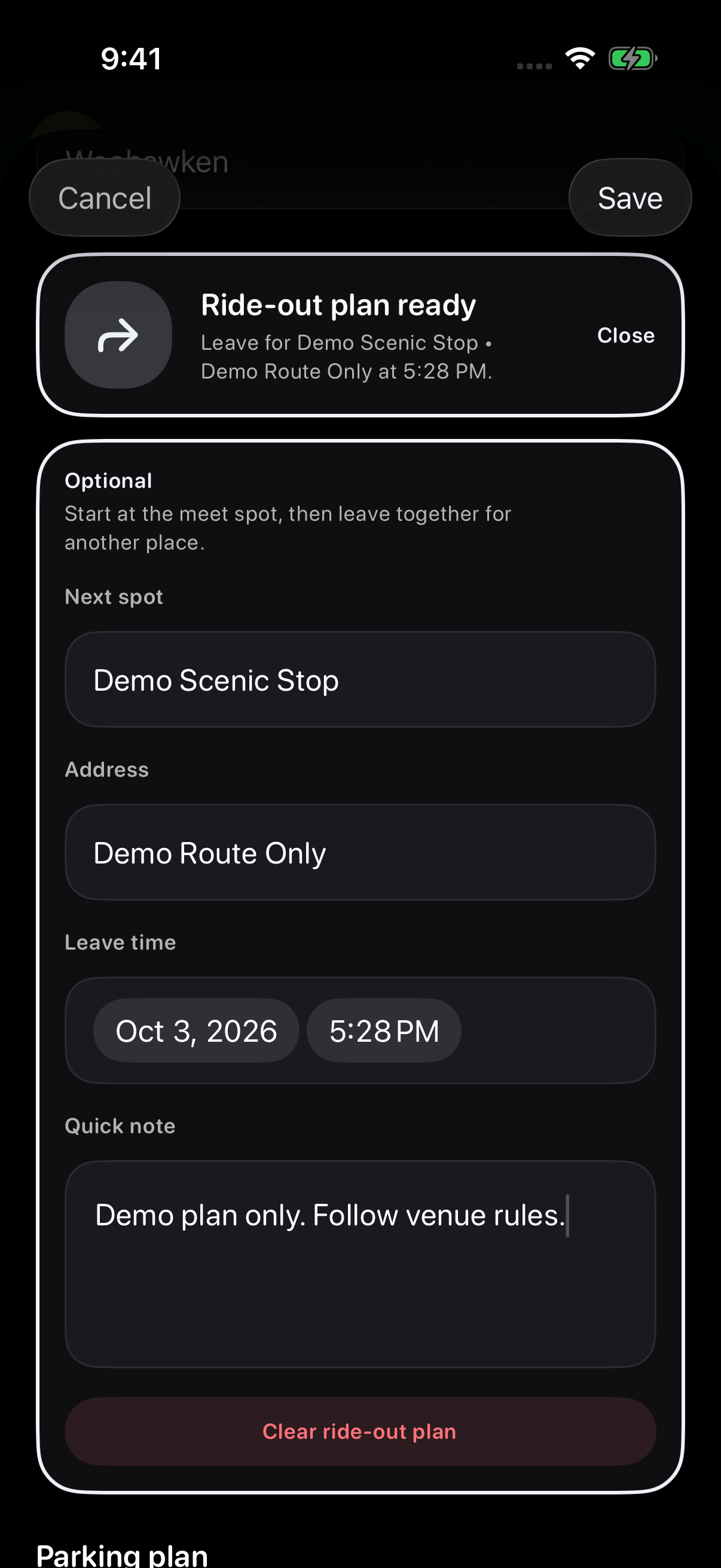
- Find Ride-out plan and choose Add. The fields open in the Create form.
- Enter the destination in Next spot and its Address.
- Choose Leave time at or after the meet’s start. Next spot and Leave time are required if you add a ride-out plan; Address and Quick note are optional.
The ride-out section is optional. Its Close control collapses the fields in the draft form. Finish the Host flow and tap Post hosted meet to publish the plan with a new meet.
Add a useful quick note
Use Quick note for extra context about the plan. Review the destination, address, leave time, and note before publishing or saving from Host Tools.
If the plan changes, save the updated ride-out plan first. In Host Tools, choose Quick updates → Ride-out reminder, review the destination and leave time in the message, then tap Send now.
Save your ride-out plan
For an existing meet, open Host Tools → Upcoming → Open tools → Ride-out plan. Enter the next stop, address, leave time and note, then choose Save.
Find the plan on the meet page
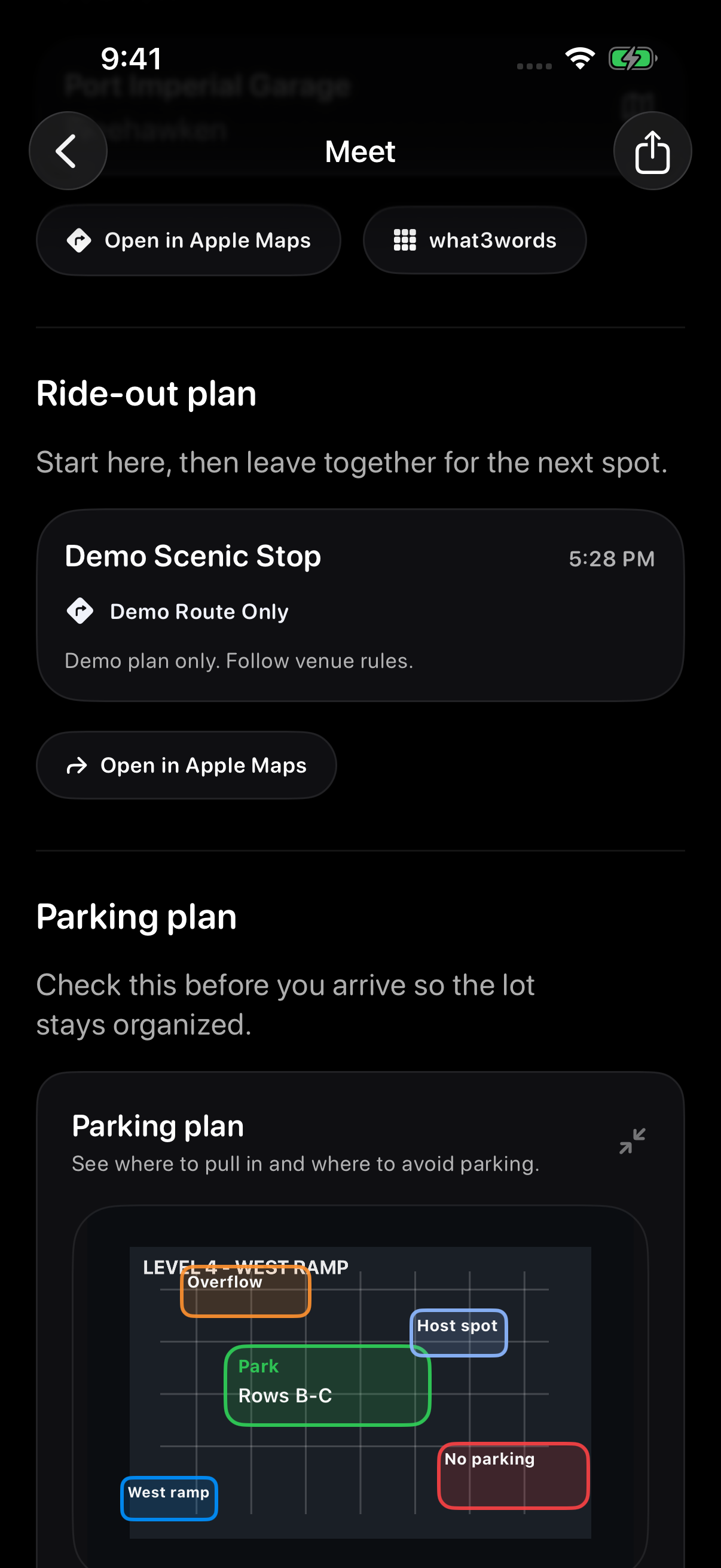
Open the meet page and scroll to Ride-out plan. Check the next stop, address, leave time and note together.
Use the plan for the meet you are attending. The pictured destination is an example, so do not use it as directions for a real venue.
What to expect
Ride-out plans are planning notes for attendees. They do not replace safe driving, local laws, or directions from the maps app.
Troubleshooting
- Directions are wrongCollect the destination name, address or city, and which maps app opened.
- Leave time looks wrongAsk the host to check the meet time and ride-out time in Host Tools.
- Plan missingThe host may not have added a ride-out plan.
Contact support
Email support@idlemeets.com with the meet title, ride-out destination, and a screenshot if possible.