
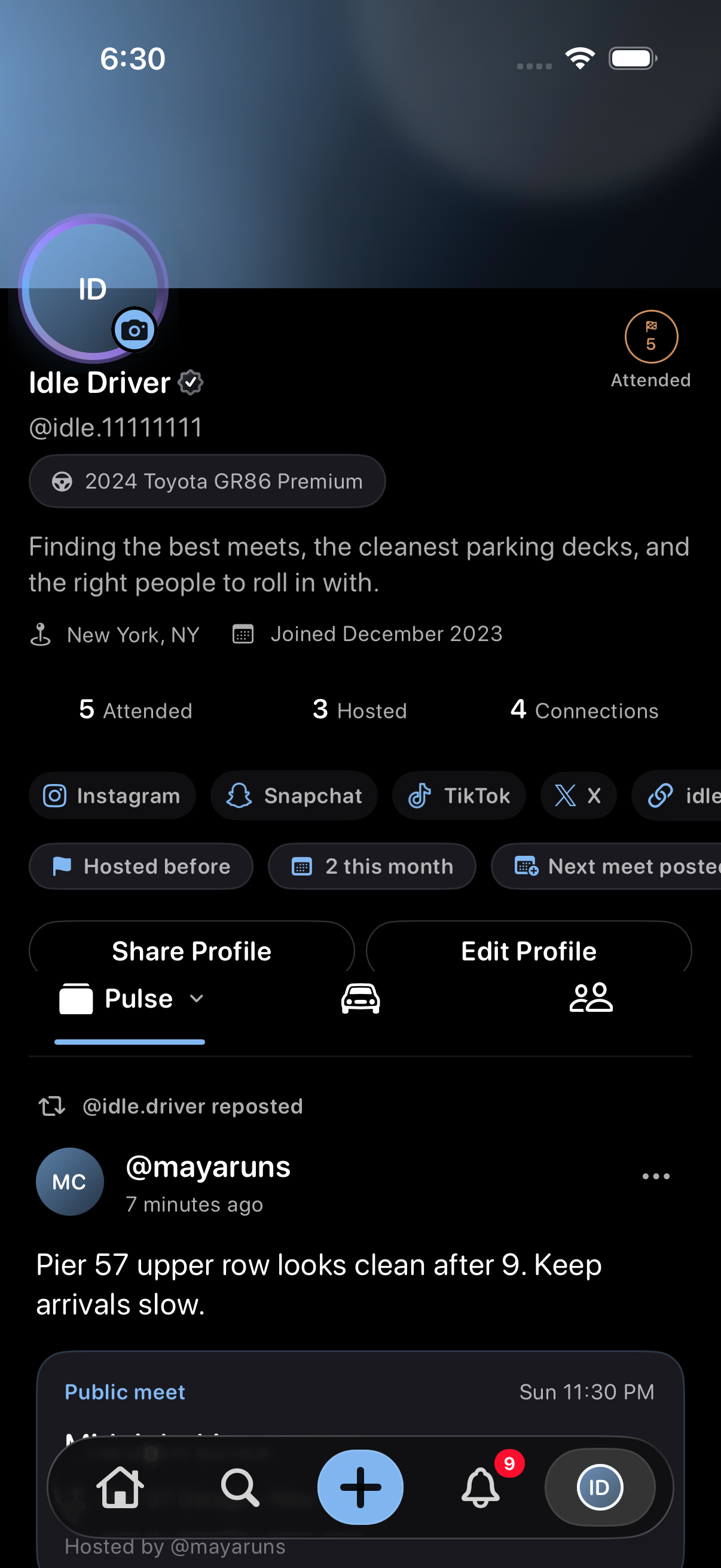
The profile example uses sample content in a preview version of Idle. Your app may look different. Select an image to enlarge it.
Open your achievements
- Open Profile, or another driver's profile that you are allowed to view.
- Tap the compact achievement area beside the profile identity, even if no milestone has been earned yet.
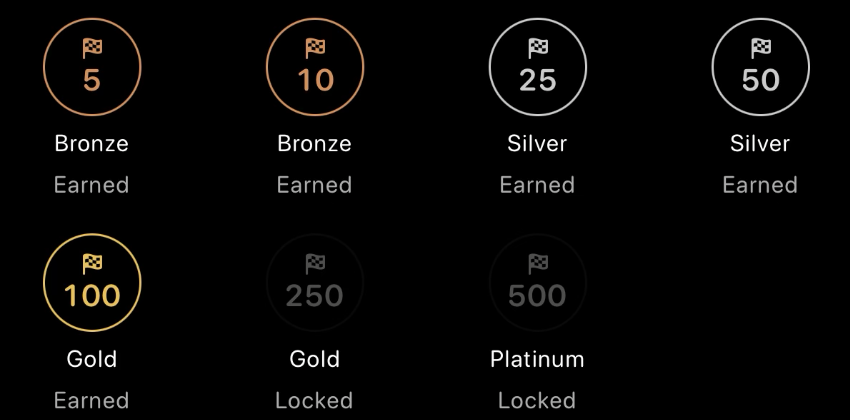
- Review Attended and Hosted progress, earned and locked milestones, and host standing where available.
- Tap Done to return to the profile.
These controls require an app version that includes achievements. Viewing another driver's achievements does not give you permission to edit their profile or access their private meets.
What counts toward a milestone?
- AttendedA meet you marked Going counts once it starts. Future meets, Interested, and Maybe do not count. This is based on your RSVP, not a physical check-in or proof you were there.
- HostedPublished public meets count, including upcoming ones. Confirmed Idle host credit counts for the credited host rather than the person managing the post. Pending or external host credit keeps personal credit with the poster. Official Idle posts without confirmed personal host credit do not earn personal hosting credit.
Host credit does not transfer edit, cancellation, or Host Tools access. Read how Host credit works.
Milestone levels
- Bronze5 and 10 qualifying meets.
- Silver25 and 50 qualifying meets.
- Gold100 and 250 qualifying meets.
- Platinum500 qualifying meets.
Attended and Hosted have separate progress. Earned milestones stay in your collection even if current totals later fall. Initial awards use available history, so previously deleted history may not be included.

Rising Host and current standing
Rising Host recognizes two public meet publications within 30 days of your first. It stays earned even when a higher hosting badge takes its place beside your profile.
All-time host standing compares current qualifying public-meet totals among eligible hosts. Equal totals share a position: for example, two hosts can both be #1, followed by #3. A numbered position can appear without a percentage badge.
Top 10%, Top 5%, and Top 1% badges depend on eligible population size and ties. A tie can mean a percentage badge is not shown. Standing can change as totals change; earned milestones remain in your collection.
Privacy and badge meaning
Other drivers' attendance achievements depend on their privacy settings and your access to their profile. Hidden attendance is not the same as zero attendance. Achievement totals do not reveal private meet details.
Achievements and host rank are not paid cosmetics, identity verification, safety approval, or a guarantee about a host. See what profile badges mean for verified checks and other profile badges.
Troubleshooting
- Achievements will not loadUse Try again when offered. Reopen the profile and confirm your connection. If it continues, contact support rather than assuming the totals are zero.
- Count or award looks differentCheck Going versus Interested or Maybe, whether the meet has started, whether hosting was public, and who received confirmed host credit. Earned awards can remain after current totals fall.
- No rank in a test driveThe local preview does not invent host ranks, percentage badges, or Rising Host awards.
Contact support
Email support@idlemeets.com with your app version, profile username, the milestone or rank you were viewing, and a screenshot if useful. Do not include private meet or message details unless needed.